

How to upgrade the software of a Gorelocker Machine?
May 16, 2025
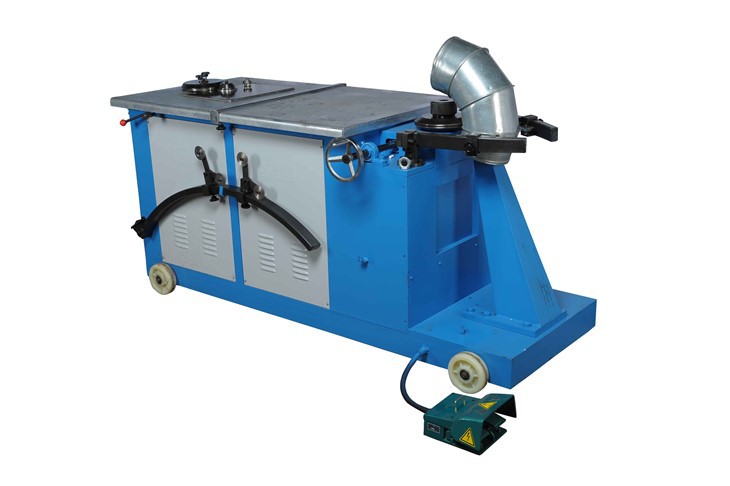
As a provider of Gorelocker Machines, I understand the importance of keeping your equipment up - to - date with the latest software. Software upgrades not only enhance the performance of your Gorelocker Machine but also improve its functionality, reliability, and security. In this blog, I'll guide you through the process of upgrading the software of a Gorelocker Machine.
Why Upgrade the Software of a Gorelocker Machine?
Before delving into the upgrade process, it's essential to understand why software upgrades are crucial. Firstly, new software versions often come with performance improvements. They can optimize the machine's operation, making it run faster and more efficiently. For example, algorithms may be refined to reduce the time taken for each locking operation, thereby increasing the overall production rate.

Secondly, functionality enhancements are a significant benefit. New features might be added, such as the ability to handle different types of duct materials or to create more complex joint forms. This can expand the range of products that your Gorelocker Machine can produce, giving you a competitive edge in the market.
Security is another vital aspect. Software upgrades usually include patches for known security vulnerabilities. As cyber threats continue to evolve, ensuring that your Gorelocker Machine's software is up - to - date can protect your business from potential attacks that could disrupt operations or compromise sensitive data.
Prerequisites for Software Upgrade
Before you start the software upgrade process, there are several prerequisites that you need to fulfill.
1. Check Compatibility
The first step is to ensure that the new software version is compatible with your Gorelocker Machine model. Different models may have different hardware specifications, and the software needs to be tailored to work with these specific configurations. You can refer to the product manual or contact our technical support team to confirm compatibility.
2. Backup Your Data
It's always a good practice to back up any important data stored on the machine before performing an upgrade. This includes settings, production records, and any custom - made programs. A data backup ensures that you can restore your machine to its previous state in case something goes wrong during the upgrade process.
3. Prepare the Upgrade Package
Obtain the official software upgrade package from our company. You can download it from our official website or receive it directly from our support team. Make sure to download the correct version for your machine.

Step - by - Step Guide to Software Upgrade
Step 1: Power On and Check the Machine Status
Ensure that your Gorelocker Machine is properly powered on and in a stable operating condition. Check for any error messages or abnormal indicators on the control panel. If there are any issues, resolve them before proceeding with the upgrade.
Step 2: Enter the Maintenance Mode
Access the machine's maintenance mode according to the instructions in the user manual. This mode allows you to perform system - level operations, including software upgrades. Usually, you need to enter a specific password or sequence of keys to enter this mode.
Step 3: Connect to the Upgrade Source
There are two common ways to connect to the upgrade source: using a USB drive or a network connection.
- USB Drive: If you are using a USB drive, insert it into the designated USB port on the machine. The machine should be able to detect the USB drive automatically.
- Network Connection: For a network - based upgrade, make sure that the machine is connected to a stable network. You may need to configure the network settings in the maintenance mode to establish a connection to the server where the upgrade package is stored.
Step 4: Select and Start the Upgrade
Once the machine is connected to the upgrade source, navigate to the software upgrade option in the maintenance menu. Select the downloaded upgrade package. Review the upgrade information, including the version number and release notes, to ensure that you are installing the correct software. Then, start the upgrade process.
Step 5: Monitor the Upgrade Process
During the upgrade, the machine will display a progress bar indicating the status of the installation. Do not interrupt the process by powering off the machine or disconnecting the upgrade source. The upgrade time may vary depending on the size of the upgrade package and the machine's processing speed.
Step 6: Post - Upgrade Checks
After the upgrade is completed, the machine will restart automatically. Once it has restarted, check the control panel for any error messages. Test the machine by running a few sample operations to ensure that it is working correctly. Verify that all the new features are available and that the machine's performance has improved as expected.
Troubleshooting During the Upgrade
Even though the software upgrade process is designed to be smooth, you may encounter some issues. Here are some common problems and their solutions:
1. Upgrade Failure
If the upgrade fails, check the following:
- Connection Issues: Ensure that the USB drive is properly inserted or the network connection is stable. Try reconnecting and restarting the upgrade process.
- Insufficient Storage: The machine may not have enough storage space to complete the upgrade. Delete any unnecessary files or data from the machine's storage to free up space.
2. Compatibility Problems
If the machine shows abnormal behavior after the upgrade, it could be a compatibility issue. Contact our technical support team, providing them with detailed information about the machine model, the software version before and after the upgrade, and the symptoms you are experiencing. They will be able to assist you in resolving the problem.
Related Products
If you are interested in our Gorelocker Machines, here are some related products that you might find useful:
- Round Duct Spiral Helix Gorelocker Elbow Joint Forming Machine
- Round Elbow Seam Locker Gorelocker Elbower Machine Round Duct Seam Locking Machine
- Sheet Metal Gorelocker Electric Elbow Duct Machine
Conclusion
Upgrading the software of your Gorelocker Machine is a straightforward process if you follow the steps outlined above. It offers numerous benefits, including improved performance, enhanced functionality, and better security. If you have any questions or need further assistance during the upgrade process, our technical support team is always ready to help.
We are committed to providing high - quality Gorelocker Machines and excellent after - sales service. If you are considering purchasing a new machine or upgrading your existing one, we encourage you to contact us for a detailed discussion. Our team of experts can provide you with customized solutions based on your specific requirements.
References
- Manufacturer's product manual for Gorelocker Machines
- Internal technical documentation on software upgrades